

Minecraft is the rare game where "what PC do I need" has a genuinely different answer depending on what you actually mean by Minecraft. Vanilla survival on Java or Bedrock will run on hardware that's a decade old. Shader-modded Java with Iris and a path-traced resource pack is a real GPU workload. A 200-mod Fabric pack with four friends connected to a server running on the same PC is neither of those — it's a CPU and RAM problem that doesn't care what graphics card you own. Building a Minecraft setup well means picking a part list for the version of the game you're actually going to play, not the generic "gaming PC" build everyone defaults to. Here's how to spend a budget, mid-range, and high-end build correctly for each.
System Requirements
| Spec | Minimum (vanilla, Fast preset) | Recommended (shaders, Fancy preset) | Enthusiast (RTX / heavy modpacks) |
|---|---|---|---|
| OS | Windows 10/11 64-bit | Windows 10/11 64-bit | Windows 10/11 64-bit |
| CPU | Intel Core i3-10100 / Ryzen 3 3100 (4-core) | Intel Core i5-12400 / Ryzen 5 5600 (6-core) | Intel Core i7 / Ryzen 7, 8-core or X3D-cache part |
| GPU | GTX 950 / RX 460 / Arc A310 (Vulkan 1.3, 2GB VRAM) | RTX 2060 / RX 5600 XT (6GB VRAM) | RTX 4070-class or better / RX 7800 XT, 12GB+ VRAM |
| RAM | 8GB system (12GB on integrated graphics) | 16GB system | 32–64GB system |
| Storage | 1GB install, any drive | 4GB+ free, SSD | NVMe SSD, 20GB+ free for mods, packs and shader caches |
Mojang's own 2026 requirements bump (the move to a Vulkan 1.3 renderer) set that minimum row as a hard cutoff rather than a suggestion — a GPU without Vulkan 1.3 support won't launch current Java builds at all, regardless of how little actual rendering power the game needs. Check that before assuming an old PC is fine by default.
CPU vs. GPU: Where the Budget Should Actually Go
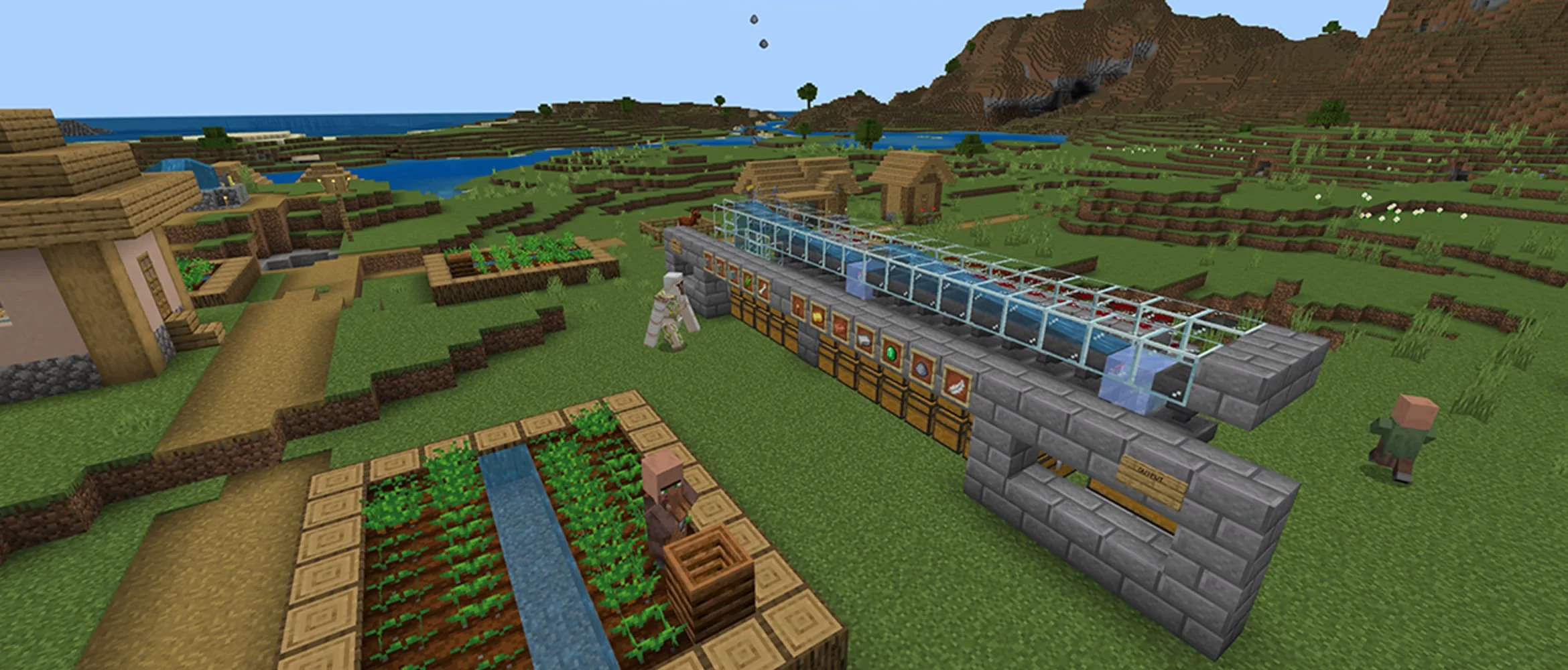
Minecraft's reputation as a CPU game is older than most of the hardware sold today, and it's still mostly true, just for a more specific reason now. Chunk generation, redstone ticking, entity AI and world simulation all run on the CPU regardless of your graphics settings, and Java Edition spent most of its life leaning hard on one or two cores no matter how many you had available. The 2026 Vulkan migration spreads chunk rendering across more threads than the old OpenGL path did, which helps a modern six-core CPU more than it used to, but it doesn't change the underlying fact: a world with a lot going on — a busy farm, a redstone contraption, a crowded multiplayer server — is asking your CPU to keep up, not your GPU.
The GPU's job in Minecraft is narrower and easier to size correctly. Vanilla rendering at any reasonable render distance is light even for a budget card. The two things that actually load a GPU are shader packs (Iris, running rasterized lighting tricks rather than real ray tracing) and Bedrock's official RTX path, which is genuine ray-traced lighting and needs real ray-tracing hardware plus a PBR-authored resource pack to have anything to bounce light off. If you're not running either of those, spending build budget on a bigger GPU than a mid-range card buys you almost nothing in this specific game — put that money into the CPU, RAM, or storage instead.
RAM: System Memory Is Not the Same Thing as the Java Heap
This trips up more builders than it should. The RAM in your build (system memory) and the heap Java Edition's launcher lets you allocate (the Xmx value) are related but not identical, and under-building either one causes different problems. Too little system RAM causes the whole PC to struggle, including background processes, your browser, and Discord. Too little Java heap causes stutter and garbage-collection pauses specifically inside Minecraft, even on a PC with plenty of free system RAM sitting unused, because the launcher never asked for enough of it. The fix for a build, not a settings menu: 16GB of system RAM is the real floor for anyone past pure vanilla survival in 2026, and 32GB is the sane target the moment shaders, Fabric/Forge mods, or hosting a small server for friends enter the picture — all three of those add RAM pressure independently of each other, and they stack.
Storage: An SSD Fixes Problems No Settings Menu Can
Minecraft's install is tiny, but install size has nothing to do with why storage speed matters here. Large explored worlds — especially modded ones with extra dimensions and structures — stream chunk data continuously as you move, and on a mechanical drive that shows up as visible pop-in and stutter no graphics setting touches, because it's an I/O bottleneck, not a rendering one. Shader packs add a second storage-adjacent stutter: the first load of a new shader pack compiles shader code on the spot, and that compile stall is worse and longer on slow storage. Every tier below assumes an NVMe SSD as the drive the game actually runs from — it's a bigger real-world upgrade for this game than the next GPU tier up, and it's one of the cheapest line items in any of these builds.
Budget Build (~$550–700): Vanilla, Bedrock, Light Modpacks
- CPU: Ryzen 5 7500F or Intel Core i3-14100F. Either clears the recommended spec's single- and multi-thread floor with room to spare for vanilla or Bedrock survival.
- GPU: RTX 3050 / RX 6500 XT, or skip a discrete card entirely with a Ryzen 5 8500G-class APU. Minecraft's vanilla rendering load is light enough that an APU genuinely handles 1080p/60 on the Fancy preset — redirecting that GPU-line budget into RAM or storage is usually the better call at this tier.
- RAM: 16GB DDR5. This is the real floor for 2026 Java, not an upsell.
- Storage: 500GB NVMe SSD. Non-negotiable even at this budget — see above.
- PSU/Case: 450–550W 80+ Bronze, basic airflow case.
This build comfortably sits at or above Mojang's recommended tier for vanilla and Bedrock, and handles small, curated modpacks (a dozen quality-of-life mods, not a kitchen-sink pack) without issue.
Mid-Range Build (~$1,000–1,200): Shaders, Fabric Packs, Multiplayer
- CPU: Ryzen 5 7600 or Core i5-14400F. Six modern cores is the sweet spot for Fabric modpacks in the 50–150 mod range and for hosting a small LAN or Realms-style server alongside normal play.
- GPU: RTX 4060 or RX 7600. Both handle popular Iris shader packs (Complementary, BSL) at 1080p–1440p without heroics, which is the actual GPU ceiling most shader players are aiming at.
- RAM: 32GB DDR5. This is where you stop thinking about RAM as a build constraint — 32GB covers a generous Java heap allocation plus system overhead plus a shader pack plus Discord and a browser, simultaneously.
- Storage: 1TB NVMe Gen 4 SSD. Enough room for several modpack instances, resource packs, and shader caches without constantly managing free space.
- PSU/Case: 550–650W 80+ Bronze/Gold, two-fan airflow case.
This is the build that actually matches how most serious Minecraft players play in 2026: modded survival with friends, shaders on, nothing compromised.
High-End Build (~$1,800+): RTX Path Tracing, Heavy Modpacks, Hosting While Playing
- CPU: Ryzen 7 9700X, or a Ryzen X3D part if you can stretch to one. The extra L3 cache on AMD's X3D chips has shown real gains in other CPU-bound, simulation-heavy games, and a 200+ mod Forge or Fabric pack with a lot of tick-processing overhead is exactly that kind of workload — more relevant here than raw clock speed.
- GPU: RTX 4070 Super or RTX 5070 (12GB+ VRAM). This is squarely overkill for vanilla Minecraft and correctly sized for full RTX path tracing on Bedrock with a PBR resource pack, or shaders at 4K.
- RAM: 32–64GB DDR5. Go to 64GB specifically if you're running a dedicated server process on the same machine while playing a heavy modpack — that's two large, independent memory consumers on one PC, not one.
- Storage: 2TB NVMe Gen 4 or Gen 5 SSD. Heavy modpacks, multiple shader caches, and world backups add up fast; this is the tier where 1TB starts feeling tight.
- PSU/Case: 650–750W 80+ Gold, strong airflow for sustained CPU load from server hosting plus gameplay running concurrently.
If your plan is a serious, long-running All the Mods-style pack, full RTX Bedrock, or hosting for a group of friends from your own PC, this tier is sized for that — not for vanilla Minecraft, which never asks for hardware anywhere near this.
The Mods Actually Worth Installing
OptiFine was the default performance mod for over a decade, but Sodium (a Fabric rendering rewrite) now routinely delivers 20–40% higher FPS than OptiFine on the same hardware and settings, and Iris — built specifically to run shader packs on top of Sodium — handles the vast majority of OptiFine's shader library while running it faster than OptiFine ever did. For 2026, Fabric plus Sodium plus Iris is the right default for anyone chasing performance or running shaders; pair it with Lithium if you want server- and world-tick optimizations on top. OptiFine still matters mainly for a small set of older, Forge-only shader packs that haven't been ported — if you're not specifically chasing one of those, there's no reason to default to it anymore.
Heavy content modpacks (tech, magic, kitchen-sink packs) are more often Forge-based, where Sodium itself doesn't run — look for Rubidium and Oculus, the Forge-side ports of the same Sodium/Iris performance work, before assuming a big Forge pack has to run worse than an equivalent Fabric one.
Peripherals: What Actually Matters
A full keyboard and mouse breakdown is worth reading on its own — our dedicated Minecraft peripherals guide covers building precision, PvP switch quality, and rollover in depth — but the two things worth knowing while you're budgeting a build: a mouse with zero acceleration or smoothing across its DPI range makes repeatable block placement and redstone alignment meaningfully easier, and a keyboard with full N-key rollover on your WASD-plus-modifiers cluster is a genuine gameplay requirement on PvP servers, not a comfort upgrade — a cheap membrane board will silently drop inputs during a sprint-jump-plus-item-swap combo at the worst possible moment.
Settings Worth Touching Before You Touch Your Wallet
Two settings are worth knowing about before assuming a hardware upgrade is the fix for choppy performance. Render Distance is also a gameplay setting, not just a frame-rate one — on multiplayer and PvP servers it determines how early you spot another player or an approaching base, the same trade-off as draw distance in a shooter. Simulation Distance is the one people undervalue: it controls how far from you the game actually ticks mobs, redstone and crop growth, not just how far you can see them, so a farm sitting outside it simply goes idle. If you're chasing frame rate on a budget build, drop Render Distance first — losing distant terrain costs less than a farm silently stopping. For the fuller settings breakdown, our Minecraft requirements and settings guide goes deeper on Fog, Particles, and the Java heap allocation specifically.
Bottom Line
Don't build a Minecraft PC like it's any other game. Spend first on the CPU, RAM, and an NVMe SSD — those three cover vanilla survival, modded packs, and multiplayer hosting, which is where this game's real hardware demands actually live. Only step up the GPU tier if shaders or Bedrock RTX are specifically part of your plan; a bigger graphics card buys vanilla Minecraft nothing it was already going to run.

Lee covers PC setup and optimization for Gamingonix, translating requirements and settings into what actually changes your performance.