
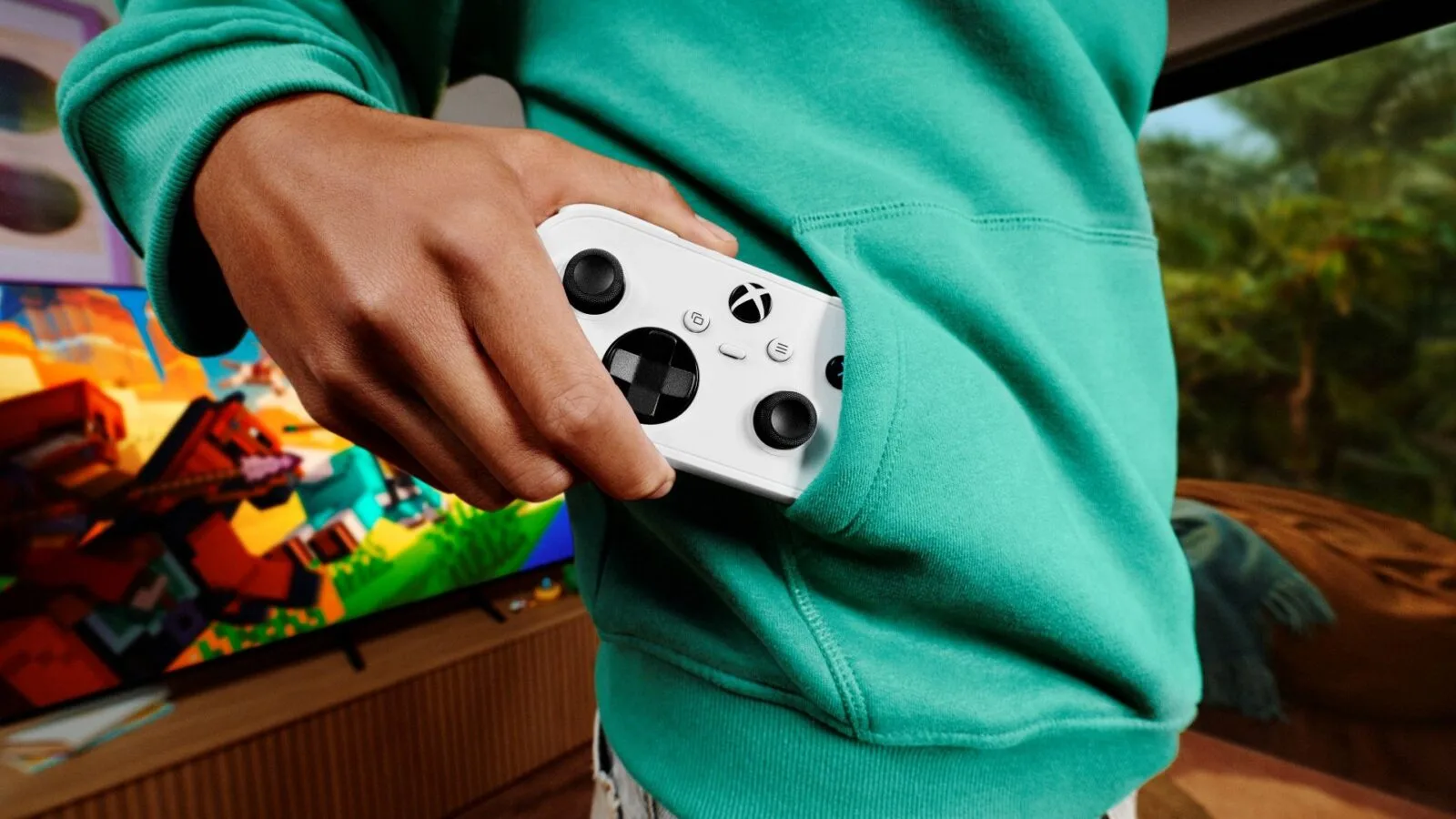

The Xbox Nano Controller is a real, shipping Microsoft product, not a rumor or a third-party knockoff trading on the Xbox name — it launched November 4, 2026 in the US, UK, and other select markets at $49.99 (£44.99 in the UK). It's the smallest controller Microsoft has ever put the Xbox logo on, and the size isn't cosmetic — it changes what the controller is actually good for, and what it genuinely can't do compared to the standard Xbox Wireless Controller sitting next to it on the shelf.
Nano vs. Standard vs. Elite, at a Glance
| Xbox Nano Controller | Xbox Wireless Controller | Xbox Elite Series 2 | |
|---|---|---|---|
| Price | $49.99 | ~$59.99 | ~$179.99 |
| Weight | 3.5 oz (~99g) | ~9.5 oz (~270g) | ~9.9 oz (~280g) |
| Dimensions | 133 × 66.5 × 36.6mm | Full-size | Full-size |
| Battery | Internal rechargeable, fixed | AA or internal rechargeable (model-dependent) | Internal rechargeable, swappable |
| Vibration/rumble | None | Yes | Yes, with adjustable intensity |
| Connectivity | Xbox Wireless + Bluetooth | Xbox Wireless + Bluetooth | Xbox Wireless + Bluetooth |
| Inputs | All 18 standard inputs, no paddles | All 18 standard inputs | 18 standard inputs plus swappable paddles, adjustable triggers |
| Action Button | Programmable | Fixed share/screenshot button | Programmable via Xbox Accessories app |
| Best for | Travel, kids/small hands, cloud gaming | Default all-around use | Competitive play, customization |
Treat the Nano's price as the current listed figure — like any accessory, it'll move with retailer sales, but $49.99 is Microsoft's own number at launch, not a street-price guess.
What It Actually Is
This isn't a stripped-down third-party pad wearing Xbox branding — it's an official Microsoft accessory, announced and sold directly through the Xbox ecosystem, sitting in the lineup below the standard Xbox Wireless Controller and well below the Elite Series 2. Microsoft's own framing is explicit about who it's for: smaller hands, kids, and portability, not a replacement for your main controller. That positioning matters, because every compromise below reads differently once you stop expecting this to be a drop-in substitute for the controller you already own.
Size and Weight: The Real Trade-Off
At 133 × 66.5 × 36.6mm and 3.5 ounces, the Nano is roughly a third the weight of a standard Xbox Wireless Controller (around 9.5 ounces) and noticeably shorter end to end. That's a genuine gameplay-relevant change, not just a travel convenience: the stick and trigger spacing is built around smaller hands, which means adult hands used to full-size grip spacing will feel the thumbsticks sitting closer together and the shoulder buttons positioned differently than muscle memory expects. For a kid, a smaller-handed adult, or anyone packing a controller for a handheld PC or a flight, that's the entire point. For someone with average-to-large hands reaching for it as their primary controller, it's a real adjustment period, not a non-issue — this is a controller built around a specific hand size, not a universally shrunk version of the same ergonomics.
What You Actually Lose vs. a Standard Controller
The Nano keeps all 18 standard Xbox gameplay inputs — the same button and stick count as the full-size controller — but it drops two things that matter more than a spec sheet suggests. There's no vibration/rumble motor at all, which is a real gameplay-feedback loss in any game that leans on haptic cues (reload feel, impact feedback, low-health pulses) rather than just visual and audio ones — it's not a dealbreaker, but it's a genuine downgrade, not a cosmetic omission. The battery is also internal and fixed rather than swappable: there's no AA tray and no second battery to hot-swap mid-session, so when it's dead, you're tethered to a USB-C cable until it charges back up. Worth knowing before you buy: Microsoft ships the controller without that USB-C cable included, so budget for one separately if you don't already have a spare.
Battery Life: The Unanswered Question
Microsoft hasn't published an official battery-life figure for the Nano at launch, and that's worth flagging rather than glossing over — it's the one spec on this controller you can't currently verify against a number on the box. Early hands-on coverage treats the battery as noticeably smaller than the standard controller's, which tracks with the shrunk shell, so budget for more frequent charging than you're used to rather than assuming parity with your current controller until real-world runtime numbers settle.
Connectivity and the Hidden Cloud Gaming Feature
The Nano connects two ways: Xbox Wireless (the same low-latency protocol the standard controller uses to pair directly with a console) and Bluetooth, which is how it talks to PC, Android, iOS, and select smart TVs. That dual-mode support is why it's genuinely usable as a cloud-gaming controller for a phone or tablet, not just a console accessory.
The detail worth knowing about specifically: Microsoft built in a direct Wi-Fi mode for Xbox Cloud Gaming, letting the Nano talk straight to Microsoft's cloud servers instead of routing input through whatever phone or tablet it's paired to. That's a real latency-reduction trick, not a marketing bullet point — cutting out the paired device as a relay step removes a hop that otherwise adds processing delay to every button press. It's worth treating as early and unsettled, though: this cloud-direct mode launched as a preview feature rather than a fully documented, always-on capability, so don't buy the Nano specifically for this unless you're comfortable with a feature that's still being finished in public.
The Programmable Action Button
The Nano's one hardware feature that's actually new, not just smaller, is a dedicated Action Button you can remap through Xbox's accessory software — defaulting to things like screenshots and clip capture, but reassignable to whatever shortcut you reach for most. It's a small addition, but it's the one place this controller does something the standard Xbox Wireless Controller's equivalent share button doesn't: give you a choice instead of a fixed function.
Who This Is Actually For
Buy the Nano if you're outfitting a kid or a smaller-handed player with their own controller, if you want something that genuinely disappears into a bag for travel or handheld/cloud gaming on a phone, or if a second lightweight pad for couch co-op matters more to you than rumble and battery swaps. Skip it as a primary controller if you have average-to-large hands and expect full-size stick spacing, if haptic feedback matters to the games you play most, or if you need a controller you can keep running indefinitely by swapping batteries rather than plugging in to recharge. It isn't a smaller version of the standard Xbox Wireless Controller with no downsides — it's a genuinely different, purpose-built accessory, and it's worth buying with that framing rather than expecting it to replace the controller already in your hands.

Lee covers PC setup and optimization for Gamingonix, translating requirements and settings into what actually changes your performance.