

A wireless gaming headset is really three separate products sharing one shell, and it's worth shopping for it that way instead of as a single "good or bad" purchase. Comfort is decided by clamping force, weight, and cushion material, and has nothing to do with how good the microphone or drivers are. Microphone quality is decided by capsule pattern and noise suppression, and has nothing to do with comfort. Sound is decided by driver quality and tuning, and a headset can get any one of these three right while getting the other two wrong — which is exactly how a $300 headset ends up uncomfortable after two hours, or a $60 headset ends up with a genuinely clear mic. This guide walks through what actually determines each of the three, what wireless specifically changes about the calculation, and real picks across budget, mid-range, and high-end that don't force you to accept a bad trade-off on any of them.
Headset Tiers at a Glance
| Budget | Mid-Range | High-End | |
|---|---|---|---|
| Price | $40–$110 | $100–$180 | $200–$380 |
| Microphone | Built-in or basic boom, usable for party chat | Detachable boom, cardioid pattern, branded noise suppression | Detachable or retractable boom, broadcast-grade suppression, best sidetone accuracy |
| Comfort | Lighter shells, thinner cushions, shorter comfortable session length | Memory foam standard, better weight distribution | Memory foam or hybrid fabric, best clamping-force tuning, longest comfortable sessions |
| Sound | Decent stereo, surround modes present but not worth much | Clean stereo imaging, surround modes start to be worth enabling | Best driver resolution, surround modes genuinely resolve height and depth cues |
| Battery / wireless | 15–20 hours, single 2.4GHz or Bluetooth-only | 25–40 hours, 2.4GHz standard, Bluetooth often included | 20–300+ hours depending on model, 2.4GHz plus Bluetooth, some with swappable batteries |
Prices move with sales constantly — treat these as real current ranges, not fixed numbers, and check live listings before buying.
Why Wireless Specifically Changes the Calculus
Going wireless isn't a single decision — it's a choice between two genuinely different technologies that happen to share the word "wireless," and mixing them up is the single most common mistake in this category. A proper 2.4GHz RF connection, the kind built into every gaming-specific wireless headset from SteelSeries, Logitech, Razer, Corsair, and HyperX, adds only a few milliseconds of latency — close enough to a wired connection that it doesn't cost you anything in a fast-paced shooter or a rhythm-timing game. Bluetooth is a different story: consumer Bluetooth audio codecs (even the better ones like aptX Low Latency) typically add tens of milliseconds of processing delay, which is small enough to ignore for music or a single-player story game but large enough to measurably decouple a footstep's sound from the moment it actually happened on screen in anything competitive. Most current headsets in this guide solve this by running both at once — Bluetooth for a phone call or Discord audio from a second device, 2.4GHz RF through a USB dongle for the actual game — rather than forcing you to pick one.
Battery life varies more across this category than almost any other spec, and it's worth treating as a real buying criterion rather than an afterthought. A headset in the 15–20 hour range needs a nightly top-up, which is fine if you remember to do it and genuinely annoying the one night you don't; a headset like the HyperX Cloud Alpha Wireless clears 300 hours on a charge, which turns charging into a once-a-month chore instead of a routine. Neither number is "correct" — it's a trade-off against weight, since bigger batteries add mass to the headband — but it's worth knowing which side of that trade-off you're buying before you commit.
Range and interference matter more in practice than spec sheets suggest. Every 2.4GHz headset shares spectrum with your Wi-Fi router, other wireless peripherals, and in a crowded house, your neighbors' gear too — most of the time this is invisible, but a dongle buried behind a PC tower with a wall and a router in between can produce real, audible dropouts that have nothing to do with the headset's build quality. A short USB extension cable to get the dongle onto your desk, line of sight to the headset, solves the vast majority of these complaints, and it's worth doing by default rather than only after you notice a problem.
Comfort: What Actually Determines It
Clamping force is the single biggest factor in whether a headset is comfortable three hours in, and it's also the hardest one to judge from a spec sheet — manufacturers don't publish it, and the only reliable way to gauge it before buying is reading written reviews that specifically mention comfort complaints, since driver and mic quality rarely disappoint on a given model but fit is individual to head shape and size. A headset clamping too hard creates a dull, specific ache above the ears that gets worse, not better, the longer a session runs; one clamping too loose slides and shifts with head movement, which is its own distraction in a fast game.
Weight matters more than most buyers expect, and the gap between a 165g headset like the Logitech G435 and a 420g headset at the high end is genuinely noticeable after two hours, not just on a scale. This is where wireless headsets face their one real physical disadvantage against wired: a battery adds real mass that a wired headset's drivers and shell don't need to carry, and the best wireless designs (suspension headbands that spread weight across a fabric strap instead of a single plastic band pressing on the scalp) exist specifically to offset that.
Ear cushion material changes comfort, sound, and noise isolation all at once, and it's worth knowing which trade-off you're buying. Memory foam, the current standard across most mid-range and high-end headsets, conforms to individual head shape and holds that shape over a session, which is why it's the material reviewers default to recommending. Leatherette or faux-leather covering over that foam seals more tightly against the head, which boosts passive noise isolation and low-end bass response, but traps heat — genuinely uncomfortable during a long session in a warm room. Velour or fabric covering breathes far better and stays cooler over hours of play, at the cost of a slightly looser seal that lets a little more bass and outside noise through. Several current headsets, including the SteelSeries Arctis line, ship with swappable cushion sets specifically so you can pick breathability over isolation (or the reverse) rather than being stuck with the manufacturer's default choice.
Microphone Quality: What Actually Determines It
A cardioid capsule pattern — standard on every boom mic in this guide — picks up sound directly in front of the mic while rejecting noise from the sides and rear, and it matters more in practice than almost any other mic spec a manufacturer advertises, because it's what keeps keyboard clatter, a fan, or a roommate's TV out of your teammates' ears without you doing anything extra. Headsets with no real boom at all — built-in mics on ultra-light models like the Logitech G435 — rely on beamforming instead, using two small microphones and processing to approximate directionality; it's a genuine engineering trick, and it's fine for casual party chat, but it's consistently a step behind a real cardioid boom for clarity in a loud room, which is the honest trade-off you're making for the lighter, cheaper shell.
Software noise suppression is the layer on top of the physical mic pattern, and it's a real, measurable improvement rather than marketing filler — SteelSeries' ClearCast, Logitech's Blue VO!CE, and Corsair's and HyperX's own noise-gate processing all use machine-learning-trained models to strip out background noise that made it past the cardioid pattern itself. The catch is that it's usually opt-in inside each brand's companion software rather than on by default out of the box, so it's worth actually opening that software once and enabling it rather than assuming a headset "isn't that good" when the setting was simply never turned on.
Detachable and retractable boom mics both solve the same problem — not having a microphone sticking off your face when you're not gaming — but they trade off differently. A detachable boom unplugs entirely, which is cleaner for travel and storage but means it's possible to lose; a retractable boom slides into the ear cup housing, which is more convenient day-to-day and is becoming the more common design at the mid-range and up. Either is a real upgrade in positioning consistency over a fixed, non-removable mic, since you can actually set the capsule's distance from your mouth rather than living with wherever the manufacturer glued it.
Sidetone — hearing your own voice fed back through the headset as you speak — is a small setting that's easy to ignore and genuinely worth turning on if your headset offers it. Without it, a sealed, noise-isolating ear cup makes your own voice sound muffled to you, and most people unconsciously compensate by talking louder, which produces a mic signal that's too hot for teammates even though the mic itself is working fine. It's one of the few settings in this entire guide that costs nothing and has essentially no downside.
Sound: What Actually Determines It
Driver size is the spec every box shouts loudest about, and it's also one of the least reliable predictors of actual sound quality on its own — a well-tuned 40mm driver can out-perform a poorly tuned 50mm one, because tuning (how the driver's frequency response is shaped by the manufacturer) matters more than raw diameter. What's worth checking instead is frequency response specifically in the range gaming cues live in: footsteps, reloads, and most directional callouts sit in the 1–4kHz range, and a headset that keeps that band clear instead of burying it under boosted bass is doing the thing that actually matters for competitive multiplayer, whether it's an FPS, a battle royale, or any other genre where hearing an approach before you see it matters. Bass response and overall loudness are what budget marketing leans on instead, because they're easier to demonstrate in a five-second store demo than imaging accuracy is, and they matter far more in a single-player, atmosphere-driven open-world game than in anything built around reading audio cues competitively.
Virtual surround — branded as THX Spatial Audio, Dolby Atmos for Headphones, DTS Headphone:X, or Windows Sonic depending on the headset and platform — all does fundamentally the same thing: it processes a multichannel or object-based mix through a stereo pair of drivers using head-related transfer function (HRTF) math, simulating height and behind-you cues that a flat stereo signal can't represent at all. Done well, on genuinely good drivers, this is a real gain, particularly in games where vertical positioning matters (a footstep from the floor above, a drone flying overhead) rather than just left-right imaging. Done on cheap, poorly resolved drivers, it's closer to a gimmick — the processing adds height and depth information the hardware physically can't reproduce cleanly, which just adds artifacts on top of the original signal rather than usable positional data. That's the honest line on when it's worth enabling: on a mid-range or high-end headset with clean drivers, turn it on and expect a real improvement in competitive titles; on a budget headset, plain stereo run clean will usually out-perform a processed signal on drivers that aren't resolved enough to use it properly. It's also worth matching your headset's actual capability to the game or platform's audio output setting — running a surround output mode on a headset that can't really use it typically makes imaging worse, not better, by smearing a signal the hardware wasn't built to decode.
Budget Tier: $40–$110
The Logitech G435 LIGHTSPEED, commonly found around $50 and occasionally lower during sales, is the lightest legitimate option in this guide at 165g, and that weight is the headline reason to buy it — it's genuinely easy to forget you're wearing it. It runs Logitech's LIGHTSPEED 2.4GHz wireless alongside simultaneous Bluetooth, so you can have a phone call routed in without losing game audio, and its 40mm drivers support Dolby Atmos processing on PC and console. The honest trade-off is the microphone: there's no boom at all, just built-in beamforming capsules, which is fine for casual party chat but a real step behind a cardioid boom mic for clarity in a noisy room — this is the headset to buy for comfort and weight first, not for comms-heavy competitive play.
If a real boom mic matters more to you than shaving off every gram, the SteelSeries Arctis Nova 3 Wireless, around $110, is the better pick — it ships in platform-specific versions (Nova 3X for Xbox/PC/mobile, Nova 3P for PlayStation/PC/mobile, so check which matches your setup before buying), runs both 2.4GHz and Bluetooth simultaneously like the G435, and pairs memory foam cushions with a genuinely clear boom mic rather than a built-in array. It won't out-perform the mid-range tier's imaging or mic processing, but it clears the bar of "comfortable, clear enough for a full session of party chat" convincingly at this price.
Mid-Range Tier: $100–$180
The Razer BlackShark V2 Pro, with an MSRP around $200 but frequently found between $130 and $180 depending on sale timing, is the headset I'd point most players toward at this tier. Its TriForce 50mm drivers are tuned to keep the mid-range where footsteps and callouts sit from getting buried, it's genuinely light at 320g, and its detachable cardioid mic rejects keyboard and room noise well enough that teammates aren't constantly asking for a repeat. THX Spatial Audio is a real, usable option on this headset's driver quality rather than a checkbox feature — worth actually enabling, not ignoring.
If you'd rather have Dolby Atmos licensing and a broadcast-style mic out of the box, the Corsair HS80 RGB Wireless, commonly found between $100 and $130 on sale against a $159.99 list price, pairs memory foam cushions with a mic Corsair specifically tunes for streaming-grade voice clarity rather than just comms. The HyperX Cloud Alpha Wireless, around $130, is the pick if battery anxiety is your bigger concern than anything else — its 300-hour battery life means you'll replace the headset before you run it dry mid-session, though its dual-chamber drivers are tuned more toward general clarity than FPS-specific imaging.
High-End Tier: $200–$380
The Logitech G Pro X 2 Lightspeed, typically $200–$230, is the clearest all-around pick at this tier. Its 50mm graphene drivers resolve detail noticeably better than the mid-range tier's dynamic drivers, Blue VO!CE mic processing is a genuine step up in suppression quality over branded noise gates at lower price points, and DTS Headphone:X 2.0 gives a surround option that's actually worth running given the driver quality underneath it. It's also the headset with the clearest esports pedigree through Logitech's pro-player sponsorships, for what that's worth to you.
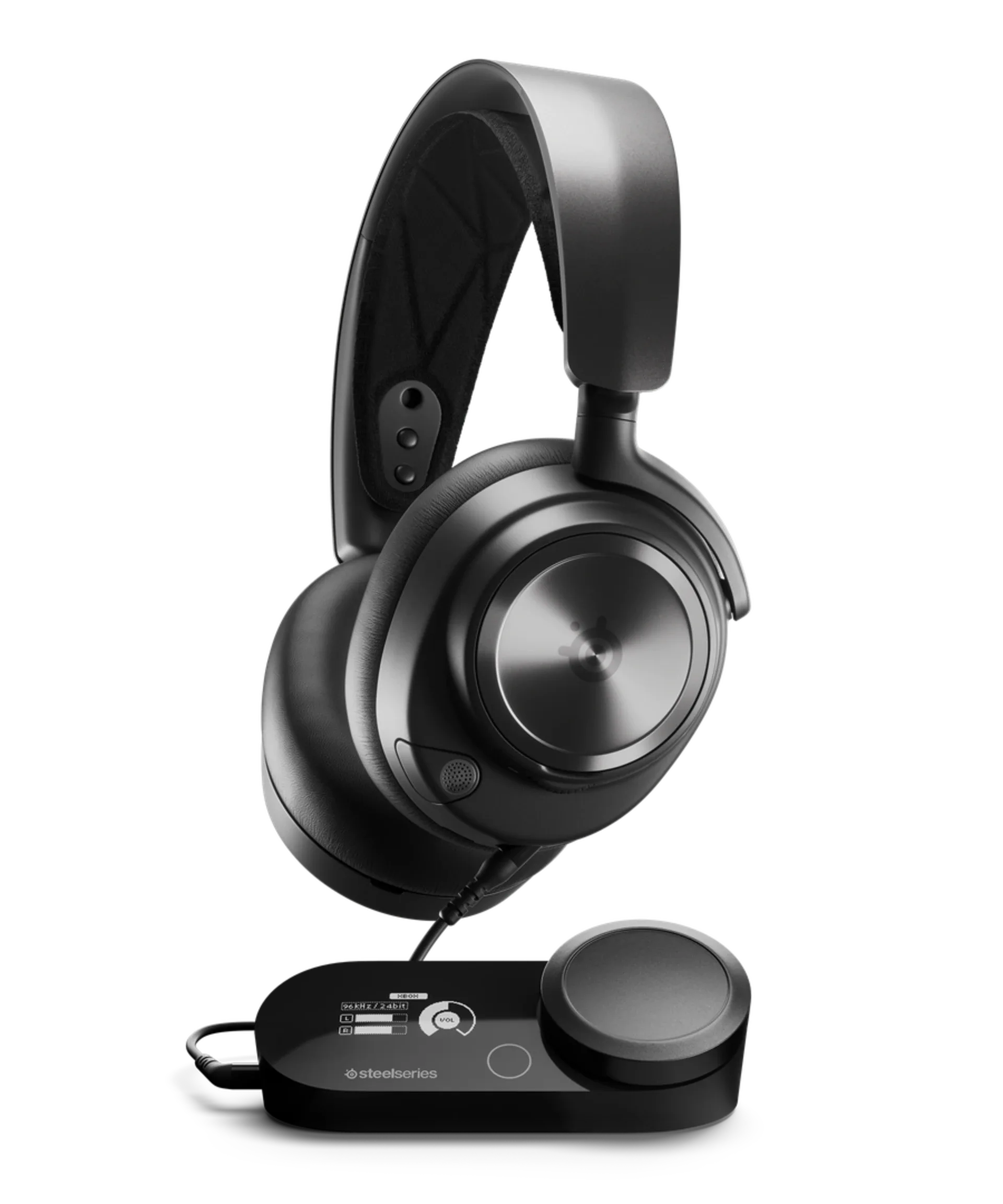
The SteelSeries Arctis Nova Pro Wireless, currently ranging roughly $280 to $380 depending on retailer and sale timing against a $379.99 list price, is the headset to buy if you want the full package rather than a best-value pick. Its ESS Sabre Quad-DAC and 360° Spatial Audio mode resolve a sound source's position in 3D space more precisely than anything in the mid-range tier, active noise cancellation is a genuine quality-of-life addition in a noisy room, and the hot-swappable "Infinity Power System" battery pair means you're never caught with a dying headset mid-session — you swap a charged battery from the included dock and keep going. It's worth being honest that the jump from mid-range to high-end here is a smaller one than budget-to-mid-range was: a well-tuned BlackShark V2 Pro at $150 will get you most of the way to this headset's competitive usefulness, and the extra money at this tier buys you doing everything — comfort, mic, sound, battery — well simultaneously, rather than any single one of those being dramatically better in isolation.
Recommendation by Use Case
Mostly casual, party chat, and want to forget you're wearing it. The Logitech G435 — the lightest option here by a wide margin, with dual wireless so a phone call doesn't interrupt your game audio. Accept the built-in mic's limits if voice clarity in a loud room matters to you.
Competitive multiplayer, any genre, on a real budget. The SteelSeries Arctis Nova 3 Wireless — a real boom mic and memory foam comfort at a price that doesn't ask you to compromise on either.
The best value for comms-heavy competitive play. The Razer BlackShark V2 Pro — light enough to forget three hours in, with a detachable cardioid mic and driver tuning built around the exact frequency range gameplay audio cues live in.
Battery life above every other concern. The HyperX Cloud Alpha Wireless — 300 hours turns charging into a once-a-month habit rather than a nightly one.
Streaming or content creation alongside gaming. The Corsair HS80 RGB Wireless — its mic is specifically tuned for broadcast-grade voice clarity, not just in-game comms.
Want the best all-around package and comfort over the longest sessions. The Logitech G Pro X 2 Lightspeed for driver resolution and mic processing, or the SteelSeries Arctis Nova Pro Wireless if swappable batteries and active noise cancellation matter enough to justify the jump — both are real upgrades over the mid-range tier, just a smaller one than budget-to-mid-range was.

Lee covers PC setup and optimization for Gamingonix, translating requirements and settings into what actually changes your performance.