
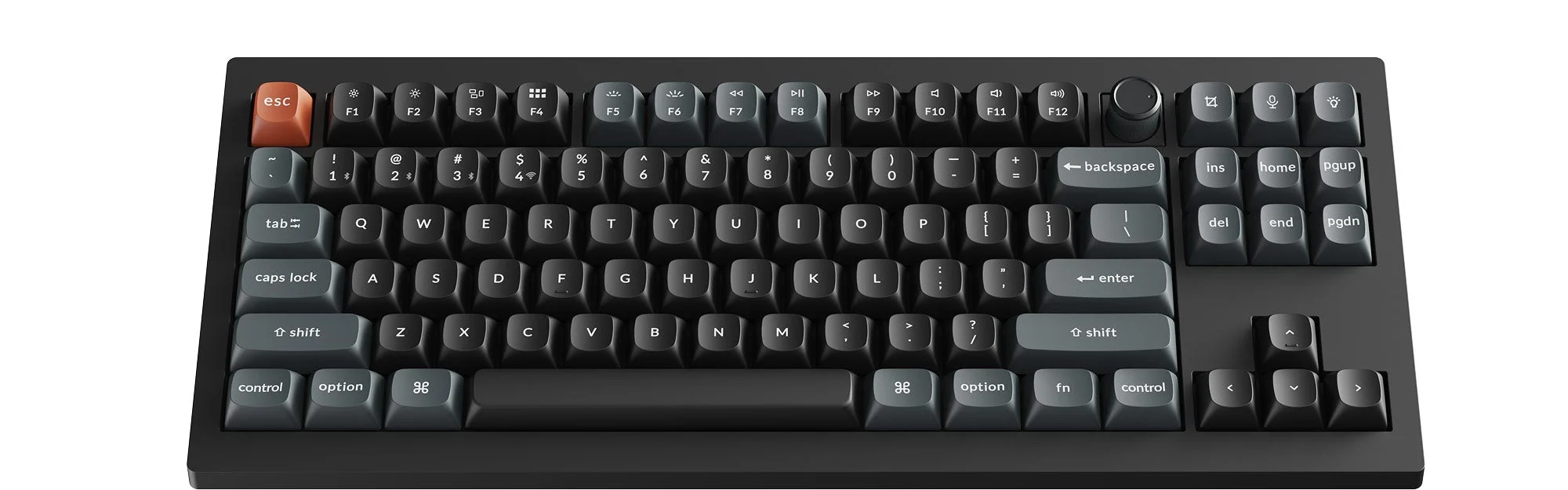

Every keyboard marketed for gaming claims to make you faster. Almost none of them are specific about how. In a tactical shooter like Counter-Strike 2, where a counter-strafe has to land within a narrow window to stop your crosshair from moving and a single dropped input during a trade can be the whole round, a small number of keyboard specs genuinely change outcomes — and a much longer list of specs on the box don't do anything measurable at all. This guide sorts the two apart: what rapid trigger and Hall-effect actuation actually do versus what they're marketed as doing, where polling rate stops mattering, why rollover is a real gameplay advantage and not a comfort feature, and which current boards are actually worth the money at three different budgets.
Quick Picks
| Tier | Keyboard | Why it suits competitive play | Approx. price |
|---|---|---|---|
| Budget | Keychron C3 Pro | Hot-swappable, gasket-mounted TKL with full NKRO and 1,000Hz polling on a standard mechanical switch | $40-$50 |
| Mid-Range | Keychron V3 Ultra TKL | Hot-swap sockets, 8,000Hz polling wired or wireless, pre-lubed linear switches out of the box | $110-$120 |
| Premium | Wooting 80HE | Hall-effect magnetic switches with adjustable actuation and rapid trigger down to 0.1mm | $200 (ABS case) |
Nobody needs the premium tier to play well. It buys a specific, narrow edge — faster counter-strafe resets and tunable actuation depth — that only shows up once your aim and game sense are already good enough to use it. A mid-range hot-swap board with a clean linear switch gets most competitive players 90% of the way there for half the price.
Switch Types for Competitive Play: Linear vs. Tactile vs. Clicky
Mechanical switches fall into three families, and the difference between them is mechanical, not just a sound preference. Linear switches (Cherry MX Red, Gateron Red, Keychron's own linears) move in a single smooth stroke from top to bottom with no bump and no click — nothing happens partway down to tell your finger the key has actuated short of it actually registering. Tactile switches (Cherry MX Brown) add a small physical bump at the actuation point, giving feedback without a sound. Clicky switches (Cherry MX Blue) add both the bump and an audible click.
For competitive FPS play, linear is the right default, and the reason is specific: a tactile bump is friction your finger has to push through before the key registers, and on a key you're tapping rapidly and repeatedly — strafe keys during a counter-strafe, a lean key, a crouch-spam — that friction adds a small, consistent delay to every single tap across a match that adds up. It also makes a key feel "done" at the bump rather than at actual actuation, which trains your finger toward a release point that doesn't match where the switch is really registering. Clicky switches add the same friction plus the slowest full return-to-rest of the three, since the mechanism needs to fully reset before it can click again cleanly. None of this means tactile or clicky switches are bad keyboards — they're a legitimate typing preference — it means they're working against you on the handful of keys a shooter asks you to spam, which is why almost every serious competitive board, hot-swappable or not, ships linear by default.
Rapid Trigger and Hall-Effect Switches: a Real Edge, and Where It Stops Being One
Hall-effect and optical magnetic switches (Wooting's Lekker switches, SteelSeries' OmniPoint 3.0, Razer's 2nd-gen analog optical) don't have a single fixed actuation point like a standard mechanical switch. Instead they continuously measure how far the key has traveled and let you set the actuation depth anywhere from roughly 0.1mm to 4.0mm. Rapid trigger builds on that: instead of waiting for the key to either bottom out or fully release, it resets the keypress the instant the key starts moving back up, even by a fraction of a millimeter, and re-actuates the instant it starts moving back down again — all without the key leaving its travel range.
The genuine, measurable benefit is counter-strafing and rapid re-taps. In Counter-Strike 2, stopping your movement to shoot accurately means releasing a direction key and tapping the opposite one in a tight window; rapid trigger shortens that window because the keyboard doesn't wait for you to lift your finger all the way off the key, only for it to start moving. The same logic applies to any rapid-tap movement tech across competitive shooters — bunny-hop timing, quick strafes to peek and reset. This is a real, provable edge for players already executing those techniques consistently, which is exactly why it's become a pro-scene standard rather than a marketing gimmick.
It's also worth being straight about where it stops being an edge: if you're not already counter-strafing cleanly or tapping movement keys with that kind of precision, a lower actuation point and rapid trigger won't create the skill for you, and can actually hurt in one specific way — a very low actuation point makes it easier to brush a key by accident and register an unintended input, which matters more on a cluttered WASD-plus-utility cluster than people expect. It's also worth knowing before you buy that some competitive titles have placed limits on how "clean" an SOCD (simultaneous opposite cardinal direction) implementation these boards are allowed to run in ranked play — functions sometimes marketed as "snap tap" have drawn scrutiny from more than one publisher, so check the specific game's current ruleset rather than assuming every feature on the box is tournament-legal everywhere. The SteelSeries Apex Pro TKL Gen 3 (around $220 wired, OmniPoint 3.0 switches, adjustable 0.1-4.0mm) and Razer Huntsman V3 Pro TKL (around $220, 2nd-gen analog optical with Rapid Trigger) are the other two serious options in this exact category alongside the Wooting 80HE, and the honest difference between them comes down to software ecosystem and keycap feel rather than a real performance gap.
Polling Rate and Input Latency: Where the Gains Actually Plateau
Polling rate is how often the keyboard reports key state to the PC per second — 1,000Hz reports every 1ms, 8,000Hz reports roughly every 0.125ms. It's an easy number to market because bigger sounds better, so it's worth being specific about what it actually buys you. Human reaction time to a visual stimulus sits in the 150-250ms range even for trained competitive players, which dwarfs any gap between a 1,000Hz and 8,000Hz keyboard. What a higher polling rate actually reduces is jitter and worst-case latency — the small, inconsistent variance in exactly when an input gets reported — rather than your average reaction speed. That's a real, if modest, consistency win, and it's the reason top-tier boards keep pushing the number even though nobody can feel 0.125ms directly: a more consistent input pipeline means your counter-strafe timing and spray transitions land the same way more often, not that any single input arrives faster in a way you'd notice.
1,000Hz is the practical floor for competitive play and clears essentially all of the real latency concern on its own — it's what separates a serious gaming board from a basic office one, not what separates good competitive boards from each other. Treat 4,000Hz and 8,000Hz as a genuine but small edge stacked on top of that floor, not the deciding factor between two otherwise similar keyboards, and don't let a polling-rate number talk you out of a board that's better on switch feel or rollover.
N-Key Rollover: The Spec That Actually Saves You Mid-Firefight
N-key rollover (NKRO) means every key on the board can be read correctly no matter how many others are already held down, as opposed to cheaper boards that only guarantee correct reads on a handful of simultaneous keys (6-key rollover is the common USB HID floor) or that "ghost" — silently fail to register a key — on certain key combinations entirely. This is a genuine gameplay advantage, not a comfort feature, because a real firefight regularly asks for more simultaneous inputs than it looks like on paper: W held for movement, Shift or Ctrl for a walk or crouch, a number key to swap weapons or grenades, and a utility key like a flashlight or comms bind, sometimes all inside the same half-second. A board without full rollover on that specific combination doesn't error out — it just drops one of those inputs, and you won't know which one until you're already dead wondering why your crouch didn't register. Every keyboard in the picks above handles full NKRO over USB without this failure mode, which is close to a non-negotiable floor for any board you're using competitively, mechanical or not.
Form Factor: TKL vs. Full-Size vs. 60%
Tenkeyless (TKL) drops the number pad and is the de facto competitive standard for a simple reason: it moves the keyboard's right edge roughly 15% closer to your mouse hand, which means more desk space for a full mouse swing before you hit the edge of the board — directly relevant to low-sensitivity flick shots and wide tracking movements. Full-size keeps the number pad, which is genuinely useful for some non-FPS genres and for players who bind utility actions to numpad keys, but for a tactical shooter it's mostly wasted width that pushes your mouse hand further from center and costs you desk real estate for nothing competitive play actually uses. 60% goes further, dropping the function row, arrow keys, and navigation cluster entirely, maximizing swing room and sightline to the monitor — but it pushes F-key binds (buy menu shortcuts, bomb-plant binds, and similar functions common across competitive shooters) onto a function-layer combination, which adds a small but real step of mental overhead to execute under pressure compared to a dedicated key. TKL is the right default for the vast majority of competitive players; 60% is worth it specifically if desk space is tight or you've already built muscle memory around function-layer combos, not as an automatic upgrade.
Hot-Swappable Sockets: Why They Matter Beyond Build Hobbyists
A hot-swappable PCB lets you pull a switch out and replace it with a different one without soldering — originally a custom-keyboard-hobby feature, now standard on most serious gaming boards. For competitive play specifically, this matters because the "right" switch for you isn't fixed: a linear switch's spring weight and actuation point interact with your typing force and finger speed, and what feels right out of the box isn't necessarily what feels right once you've calibrated to a lower actuation point or rapid trigger behavior over weeks of play. Hot-swap sockets mean that tuning process doesn't require buying a new keyboard — you can drop in a lighter or heavier spring, try a different factory lube job, or move to an entirely different switch family to chase a specific feel, and revert just as easily if it doesn't work out. It's also the practical hedge against a factory switch that turns out to be inconsistent: double-actuation or scratchy travel on an individual key is a real-world manufacturing variance issue even on good boards, and a hot-swap socket turns a defective switch into a five-minute fix instead of a warranty claim.
Wired vs. Wireless for Competitive Play
The honest state of this argument in 2026 is that it's mostly closed for standard mechanical boards and still partly open for Hall-effect ones. A good wireless keyboard running a dedicated 2.4GHz connection at 1,000Hz polling or higher has no latency gap worth worrying about against the same board wired — the same shift that happened with competitive mice over the last few years has happened here. What hasn't fully caught up is high-bandwidth analog data: a Hall-effect board reporting continuous key-position data at high polling rates is pushing more information than a simple on/off keypress, and several of the current magnetic-switch boards, including the Wooting 80HE, are wired-only as a result, while others offer wireless at a reduced polling ceiling compared to their wired mode. If you're buying a standard mechanical linear board, buy whichever connection type suits your desk — a clean 2.4GHz wireless board costs you nothing real. If you're buying specifically for Hall-effect rapid trigger at the fastest settings the switch supports, check whether the wireless mode on that specific model matches its wired polling rate before assuming it does, because on several boards it doesn't.
What to Actually Buy
Budget. The Keychron C3 Pro is a gasket-mounted, hot-swappable TKL around $40-$50 with full NKRO and 1,000Hz polling on a standard mechanical switch. It won't give you rapid trigger or an 8,000Hz polling number, but it clears every spec that actually matters at the entry tier — clean rollover, no ghosting, and a socket you can drop a better linear switch into later — and it does it for less than a third of the premium tier.
Mid-range. The Keychron V3 Ultra TKL (around $110-$120) adds 8,000Hz polling wired or wireless, pre-lubed linear switches out of the box, and the same hot-swap flexibility as the C3 Pro. This is the board most competitive players should actually buy: it covers rollover, switch feel, and polling consistency without paying for Hall-effect actuation most players won't fully use.
Premium. The Wooting 80HE (around $200 for the ABS case) is the clearest standard-bearer for Hall-effect rapid trigger right now, with adjustable actuation from 0.1mm to 4.0mm and per-key tuning through its software. The SteelSeries Apex Pro TKL Gen 3 and Razer Huntsman V3 Pro TKL sit in the same price band and functional category — the real difference between the three comes down to software, keycap quality, and ecosystem fit rather than a meaningful performance gap. Buy this tier once you're confident you're already executing the movement and reset techniques rapid trigger is built to sharpen, not as a shortcut to developing them.

Lee covers PC setup and optimization for Gamingonix, translating requirements and settings into what actually changes your performance.