

Most peripheral advice treats a headset as a comfort upgrade. In Call of Duty it isn't one — footstep audio and directional gunfire are genuine gameplay information, on par with a minimap ping, and a headset that images that information clearly gets you a flanker's position before your eyes ever find them. That makes this a different kind of buying decision than a monitor or a mouse: the question isn't "does this sound good," it's "does this let me tell which stairwell that footstep came from, fast and consistently." This guide sticks to headsets only; for the GPU, monitor and network side of a competitive Call of Duty setup, see our competitive setup guide and monitor guide.
Headset Tiers at a Glance
| Budget | Mid-Range | High-End | |
|---|---|---|---|
| Price | $30–60 | $80–150 | $150–300+ |
| Connection | Wired (3.5mm or USB) | Wireless (2.4GHz), some with Bluetooth | Wireless (2.4GHz) with Bluetooth fallback |
| What you're paying for | Usable stereo imaging, a mic that doesn't embarrass you | Low-latency wireless without giving up imaging, better mic, longer sessions | Best-in-class positional accuracy, swappable batteries, premium comfort and mic clarity |
| Surround/spatial audio | Usually none, or a basic virtual 7.1 driver mode | Virtual surround (THX, Windows Sonic, DTS) available on most | Tuned spatial modes plus the driver and tuning quality to actually resolve them |
| Best for | Casual or budget-constrained players who still want real directional cues | Players who want wireless convenience without losing the competitive edge of stereo imaging | Ranked grinders and anyone treating audio as seriously as their monitor |
Prices move constantly and vary by retailer and color, so treat these as a starting range and check current listings before buying.
Why a Headset Is a Gameplay Advantage, Not Just Comfort
Call of Duty's footstep and gunfire audio is mixed with real directional cues baked in — which ear a sound favors and how it changes as a source moves tells you a rough bearing and distance before you have any visual information at all. A headset's job is to pass that mix through without smearing it, and the two things that actually determine whether it does are driver clarity in the 1–4kHz range where footsteps live, and latency between the game producing a sound and your ears hearing it. Bass response, "immersive" tuning and loudness are mostly irrelevant to this specific task and are what budget marketing leans on instead, because they're easier to demonstrate in a showroom than imaging accuracy is.
Latency is the reason wireless headsets need to be chosen carefully rather than assumed. A proper 2.4GHz RF connection — the kind SteelSeries, Logitech and Razer all build into their gaming-specific wireless headsets — adds a few milliseconds at most, close enough to wired that it doesn't matter competitively. Bluetooth is a different story: consumer Bluetooth audio codecs add tens of milliseconds of processing delay, enough to measurably decouple the sound of a footstep from the moment it actually happened in-game. Treat Bluetooth as a fallback mode for console menus or phone calls on a headset that also has a 2.4GHz mode, never as your primary connection in a match.
Budget Tier: $30–60
The HyperX Cloud II, commonly found around $50, is the headset I'd point a budget-conscious player toward first. It's wired, which already removes the one variable that can go wrong on a cheap wireless headset, and its 53mm drivers have clean enough separation to place a footstep's direction reliably — the thing that actually matters here, not the bundled USB sound card's virtual 7.1 mode, which is a minor nice-to-have rather than a real upgrade over good stereo. The detachable mic is clear enough for squad comms without needing a separate microphone, and the memory foam ear cushions hold up over long sessions better than most headsets at this price.
If you want something with a built-in volume and EQ control that doesn't rely on a USB dongle, the SteelSeries Arctis Nova 1 at around $60 is the alternative — its breathable ear pads run cooler over a long Warzone session, and SteelSeries' ClearCast mic tends to review a step above the Cloud II's for comms clarity. Either is a legitimate competitive headset at this price; neither is going to out-image a $150 pair, but both clear the bar of "you can hear where that shot came from," which is the only bar that actually matters.
Mid-Range Tier: $80–150
The Razer BlackShark V2 Pro, with an MSRP around $200 but frequently found between $90 and $150 depending on sale timing, is built specifically around the footstep-detection use case — it ships with FPS-tuned EQ presets, including a Call of Duty-specific profile accessible straight from the headset without opening software, and its TriForce 50mm drivers are tuned to keep the mid-range where footsteps sit from getting buried by bass. It's also genuinely light at 320g, which matters more than it sounds like it should over a multi-hour Warzone session, and its detachable cardioid mic rejects keyboard and room noise well enough that teammates aren't constantly asking you to repeat a callout.
If battery anxiety is your bigger concern than anything else, the HyperX Cloud Alpha Wireless at around $120 trades some of the BlackShark's competitive tuning focus for a genuinely absurd 300-hour battery life on its 2.4GHz connection — you'll replace the headset before you run it dry mid-match. Its 50mm dual-chamber drivers are tuned more toward general clarity than FPS-specific imaging, but they're still a real step up from anything in the budget tier.
At this tier, virtual surround modes (THX Spatial Audio on the BlackShark, Windows Sonic or DTS Headphone:X on others) start to be worth turning on rather than ignoring — the driver quality is good enough to actually resolve the processed signal instead of just adding noise to it, which isn't true yet at the budget tier.
High-End Tier: $150–300+
The SteelSeries Arctis Nova Pro Wireless, typically listed between $300 and $380, is the headset most associated with competitive Call of Duty play, down to SteelSeries' own Call of Duty-branded accessory lines. Its ESS Sabre Quad-DAC and 360° Spatial Audio mode are a genuine step up in how precisely a sound source resolves in 3D space, not just louder or clearer in the abstract, and the "Infinity Power System" hot-swappable battery pair means you're never caught mid-ranked-match with a dying headset — you swap a battery in the charging dock and keep playing. Active noise cancellation is a real quality-of-life addition for anyone playing in a noisy room, though it's worth noting ANC isn't a competitive advantage the way the spatial audio and driver quality are — it just removes the distractions that would otherwise mask them.
The Logitech G Pro X 2 Lightspeed, around $200–230, is the alternative at this tier and the one with the clearer esports pedigree through Logitech's broader pro-player sponsorships — its 50mm graphene drivers and Blue VO!CE mic processing are built to the same "comms matter as much as audio in" standard that competitive play demands, and DTS Headphone:X 2.0 gives a genuine surround option if you prefer Logitech's G Hub tuning ecosystem to SteelSeries' software.
Worth being honest about at this price: the jump from mid-range to high-end buys you real, measurable gains in spatial precision and comfort over long sessions, but it's a smaller jump than budget-to-mid-range was. A $130 BlackShark V2 Pro with its EQ dialed in will out-perform a stock-tuned $300 headset for footstep detection specifically — the high-end tier's real selling point is that it does everything well simultaneously (imaging, mic, comfort, battery) rather than any one of those being dramatically better in isolation.
Surround Sound, Dolby Atmos and DTS: What Actually Helps in Call of Duty
Every virtual surround format on a gaming headset — Windows Sonic, Dolby Atmos for Headphones, DTS Headphone:X, THX Spatial Audio — does the same underlying thing: it takes a multichannel or object-based audio mix and processes it through a stereo pair of drivers using head-related transfer function math, simulating sounds coming from above, behind or beside you instead of just left-right. Done well, on good drivers, this is a real gain for Call of Duty specifically, because footsteps from a floor above or below you are common and genuinely benefit from height cues that plain stereo can't convey at all.
Done on cheap drivers, it's closer to a gimmick — processing a signal to add height and depth information that the hardware isn't resolved enough to actually reproduce just adds artifacts without adding usable information. This is why the surround mode matters more as you go up in price: it's worth enabling and tuning on a BlackShark V2 Pro or Arctis Nova Pro, worth experimenting with on a mid-range Cloud Alpha Wireless, and generally not worth bothering with on a $40 headset where plain stereo, run clean, will out-perform a processed signal on bad drivers.
One practical note regardless of tier: in-game, Call of Duty's own audio mix setting matters as much as your headset's surround mode. Set the game's audio output to match your headset's actual capability — Stereo for a headset without real surround processing, Headphones/Virtual Surround for one that supports it — because mismatching the two (running the game in a 7.1 output mode on a headset that can't use it) typically makes imaging worse, not better.
Mic Quality for Comms
Call of Duty is a callout game — "two left, pushing B flag" only helps your squad if they can actually understand it the first time, not the second time after they ask you to repeat it. A cardioid mic pattern, standard on every headset recommended above, picks up your voice from directly in front of it while rejecting keyboard clatter and room noise from the sides, which matters more in practice than any marketing claim about "studio quality." Software-side noise suppression (SteelSeries' ClearCast, Logitech's Blue VO!CE, HyperX's own noise-gate processing) adds a further, real layer of rejection on top of the physical mic pattern, and it's worth actually enabling in each brand's software rather than assuming it's on by default.
Sidetone — hearing your own voice fed back through the headset as you talk — is a small setting worth turning on if your headset supports it; without it, most people unconsciously raise their voice because a sealed, noise-isolating ear cup makes you feel like you're talking into silence, and that's a mic that ends up too loud for teammates rather than too quiet.
PC vs Console: Compatibility Notes
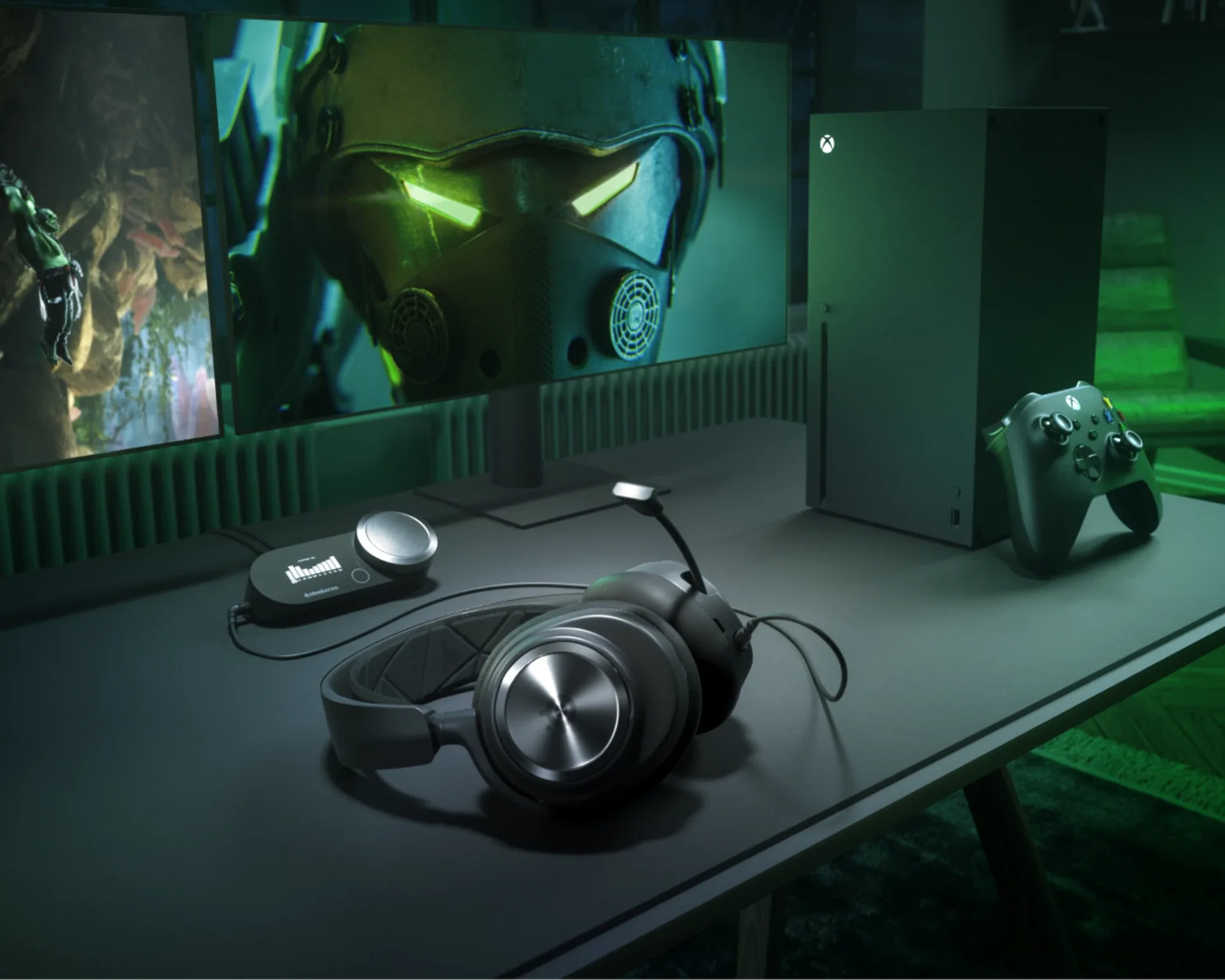
Call of Duty is fully cross-platform, and every headset above works across PC, PlayStation 5 and Xbox Series X|S, but the details of how differ by connection type. Wired headsets with a standard 3.5mm connector are the simplest cross-platform option — they work identically on a controller's headphone jack, a PC motherboard's audio jack, or a USB-C dongle adapter with no compatibility question at all. Wireless 2.4GHz headsets ship with a USB dongle that typically works across PC and both consoles interchangeably, but check the specific model: some wireless headsets, including variants of the BlackShark V2 Pro and Arctis Nova Pro, are sold in PC-specific and PlayStation-specific SKUs with different dongle firmware, and buying the wrong one can mean losing features like Dolby Atmos licensing that's tied to the console version specifically. Xbox is the platform most likely to cause a surprise: Microsoft's wireless headset protocol is proprietary, so most third-party wireless headsets (including every one recommended in this guide) connect to Xbox over a 3.5mm cable through the controller rather than wirelessly, even if they're fully wireless on PC and PlayStation. If Xbox wireless specifically matters to you, that's a narrower shopping list than this guide covers, built around Xbox Wireless-certified headsets rather than the cross-platform picks above.
Comfort for Long Sessions
A headset that images footsteps perfectly but clamps your skull like a vice isn't one you'll wear through a multi-hour ranked grind, and comfort complaints are the single most common reason a good-sounding headset ends up back in the box after a week. Clamping force is the biggest factor and the hardest to judge from a spec sheet — it's worth reading a few written reviews specifically for comfort complaints before buying any headset in this guide, since driver quality rarely disappoints but fit does, individually, based on head shape. Weight matters more than most buyers expect too: the difference between a 280g and a 400g headset is genuinely noticeable after two hours, which is part of why the BlackShark V2 Pro's light build gets singled out above rather than just its audio tuning. Memory foam ear cushions, standard across every pick in this guide, outperform the cheaper foam found on off-brand headsets for both comfort and passive noise isolation over a long session.
Recommendation by Player Type
Budget-constrained, still want a real edge. The HyperX Cloud II at around $50 — wired removes latency as a variable entirely, and the driver clarity is genuinely enough to place footsteps reliably.
Wireless convenience without giving up competitive imaging. The Razer BlackShark V2 Pro — its FPS-tuned EQ and dedicated Call of Duty preset are built for exactly this job, and it's light enough to forget you're wearing it three hours in.
Battery life above all else. The HyperX Cloud Alpha Wireless — 300 hours means charging becomes a once-a-month chore instead of a nightly habit.
Ranked grinders and anyone treating audio like their monitor. The SteelSeries Arctis Nova Pro Wireless if swappable batteries and best-in-class spatial precision matter to you, or the Logitech G Pro X 2 Lightspeed if you'd rather have Logitech's mic processing and software ecosystem — both are a real step up from the mid-range tier, just a smaller one than the budget-to-mid-range jump was.
Console players on Xbox specifically. Confirm Xbox Wireless certification before buying if wireless matters to you there — otherwise, every pick above works over a wired 3.5mm connection through the controller without issue.

Lee covers PC setup and optimization for Gamingonix, translating requirements and settings into what actually changes your performance.