
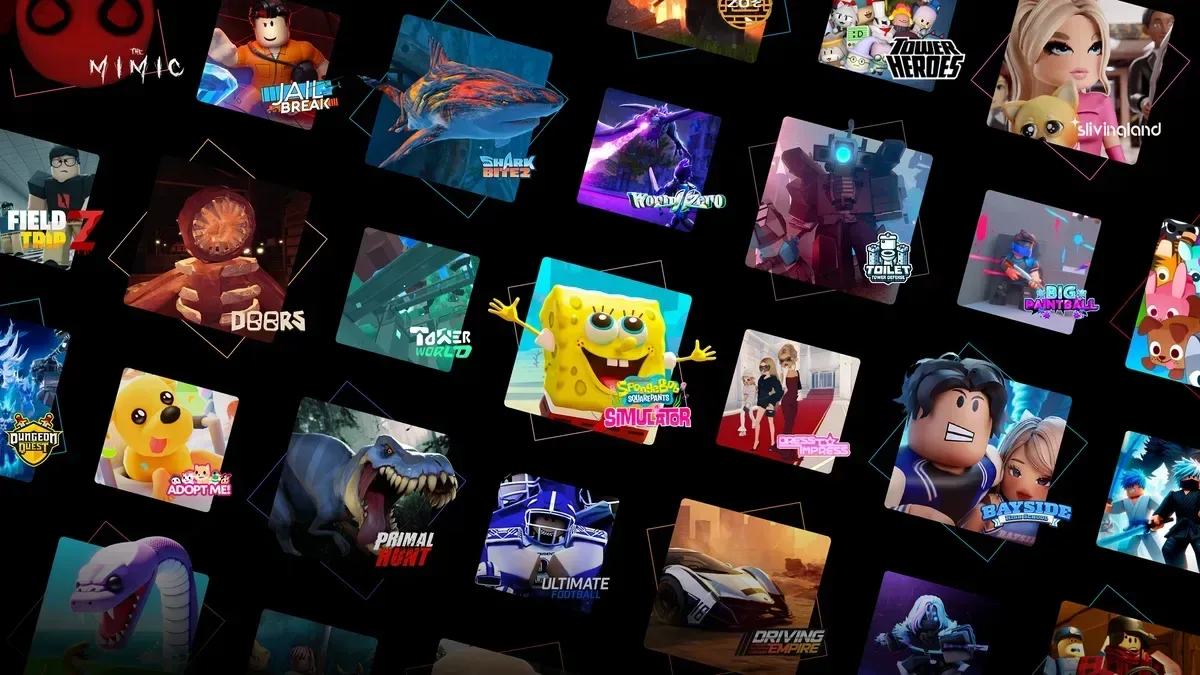

Roblox isn't a game you learn once — it's a platform hosting millions of them, each with its own rules, and the parts that actually trip up new players usually have nothing to do with any single experience. It's the account settings, the currency, the chat defaults, and the scams built specifically to target people who don't know better yet. These 15 tips cover the decisions worth making before and during your first sessions, not a tour of any one game.
Account and Safety Setup
1. Know which account type you're on before you do anything else. Roblox now sorts every account into an age bracket determined by its facial age-check system (or a verified parent): Roblox Kids for ages 5–8, Roblox Select for ages 9–15, and standard accounts from 16 up. Kids accounts only surface experiences labeled Minimal or Mild maturity; Select accounts add Moderate. If you're setting this up for a younger player, do the age verification honestly — it's what unlocks (or restricts) the actual content they'll see, not just a formality.
2. If you're a parent, set up Parental Controls from your own account, not theirs. You'll need to verify you're 18+ yourself, then you can link to your child's account and manage direct chat permissions, approve or block specific experiences, and set spending limits — all remotely, without touching their device. For accounts under 13, you keep most of this control by default; for 13–15 it narrows to chat and purchase oversight.
3. Turn on two-factor authentication immediately. Account theft is the most common way players lose items, Robux, and rare avatar gear — not through anything you did in a game, but through a stolen password. Two-step verification (via email or an authenticator app) is free and takes two minutes in Settings, and it's the single biggest thing standing between you and losing everything to a hijacked login.
4. Set your chat and privacy settings before you join anything with open text chat. Under Settings > Privacy, "Who can chat with me" and similar contact settings default fairly openly on standard accounts — tighten them to Friends or No One if you don't want randoms in a server messaging you. This isn't paranoia; it's the setting that determines whether a stranger in a public server can DM you at all.
Robux and Not Getting Scammed
5. There is no legitimate way to get free Robux outside the official store. Robux runs about $4.99 for 400, $9.99 for 800, and $19.99 for 1,700 through Roblox's own site — that's it. Every "free Robux generator," survey site, or "enter your username to claim your prize" giveaway is designed to steal your password or get you to install something, not hand you currency. If a site asks for your login anywhere other than roblox.com, close the tab.
6. Never trade or give away items to "double" them. A classic scam in trading-enabled experiences promises to return two items for one you send first — you send yours, they block you. Roblox's own trading system only works between two mutual friends who both confirm the trade in the official interface; anything happening through a private message or a third-party Discord isn't that, no matter how convincing the pitch.
7. Buy Robux on the web, not through the mobile app, if you're paying full price. Apple and Google take a platform cut that Roblox passes on, so the same purchase nets you less currency through the iOS or Android app than it does buying directly through roblox.com on a browser or the PC/Mac desktop client.
Finding Experiences Worth Your Time
8. Use the Discover page's sort tabs instead of just scrolling the front page. Discover breaks experiences down by Popular, Up and Coming, and genre buckets like Roleplay, Simulator, Fighting, and Horror — Recommended for You improves the more you actually play, but the genre tabs are the faster way to find something specific on day one instead of whatever's algorithmically trending.
9. Start with one social/roleplay game, one simulator, and one competitive game to get a feel for the range. Roblox genres play nothing alike: Brookhaven-style roleplay games are open-ended hangouts with basically no fail state, simulators like Grow a Garden are slow-burn idle progression loops you check in on repeatedly, and competitive titles like Blade Ball or a Bedwars-style shooter are quick, skill-based rounds. Playing one of each tells you which loop actually holds your attention before you sink hours into the wrong genre.
10. Check an experience's player count and last-updated date before committing. A high concurrent player count means active servers and a maintained game; a listing with a huge total visit count but almost no one currently playing is usually a dead or abandoned project, even if it still shows up in search.
Your Avatar
11. Build your look in the Avatar tab's outfit editor before buying pieces individually. The Marketplace (formerly called the Catalog) sells clothing, faces, and accessories separately, but the Avatar tab lets you preview a full combination on your character before spending anything — worth doing since some items only look right paired with specific body types or animation packs.
12. Filter the Marketplace by "free" before buying anything. A genuinely large chunk of clothing, faces, and gear is free — including limited-time promotional items from events — and stacking a starting look entirely from free pieces is completely normal. Save actual Robux spending for bundles or layered clothing you specifically want, not for basics.
13. Layered clothing needs an R15/Rthro-compatible avatar to look right. If you're on the older R6 (blocky) body type, jackets and layered pants either won't fit properly or won't be equippable at all. Switching your avatar's body type to R15 in the Avatar tab fixes this and is free to do at any time.
Performance and Everyday Play
14. Switch Graphics Mode to Manual and drop the quality slider if an experience is stuttering. Roblox's automatic graphics setting doesn't always pick correctly for your device, especially on mid-range phones or laptops. Going to Settings > Graphics Mode > Manual and pulling the slider down toward 1–3 trades visual detail for a stable frame rate, which matters more in anything competitive than shadows or lighting do.
15. Report and block instead of arguing in chat. Every experience has a report function reachable from the player list or the in-game menu, and it goes to Roblox's moderation team, not just the game's developer. Blocking a specific player stops them from messaging or following you into new servers entirely — it's faster and more effective than muting or engaging with someone breaking the rules.
Bottom Line
Most of what makes Roblox confusing for a new player isn't any one game's mechanics — it's the account, safety, and currency layer sitting underneath all of them. Get your age bracket and privacy settings right, treat every "free Robux" offer as a scam by default, and sample a few genres before committing your time to one. Everything else — which experience becomes your favorite, how your avatar ends up looking — sorts itself out once those basics are locked in.

Alex writes practical, beginner-friendly guides for Gamingonix, turning confusing early-game decisions into clear next steps.